


Let’s see how to set up Taxes in Envoici for other Taxes.
1) Go to Accounting > Taxes


2) Click on New Tax to add a new tax rate if applicable.
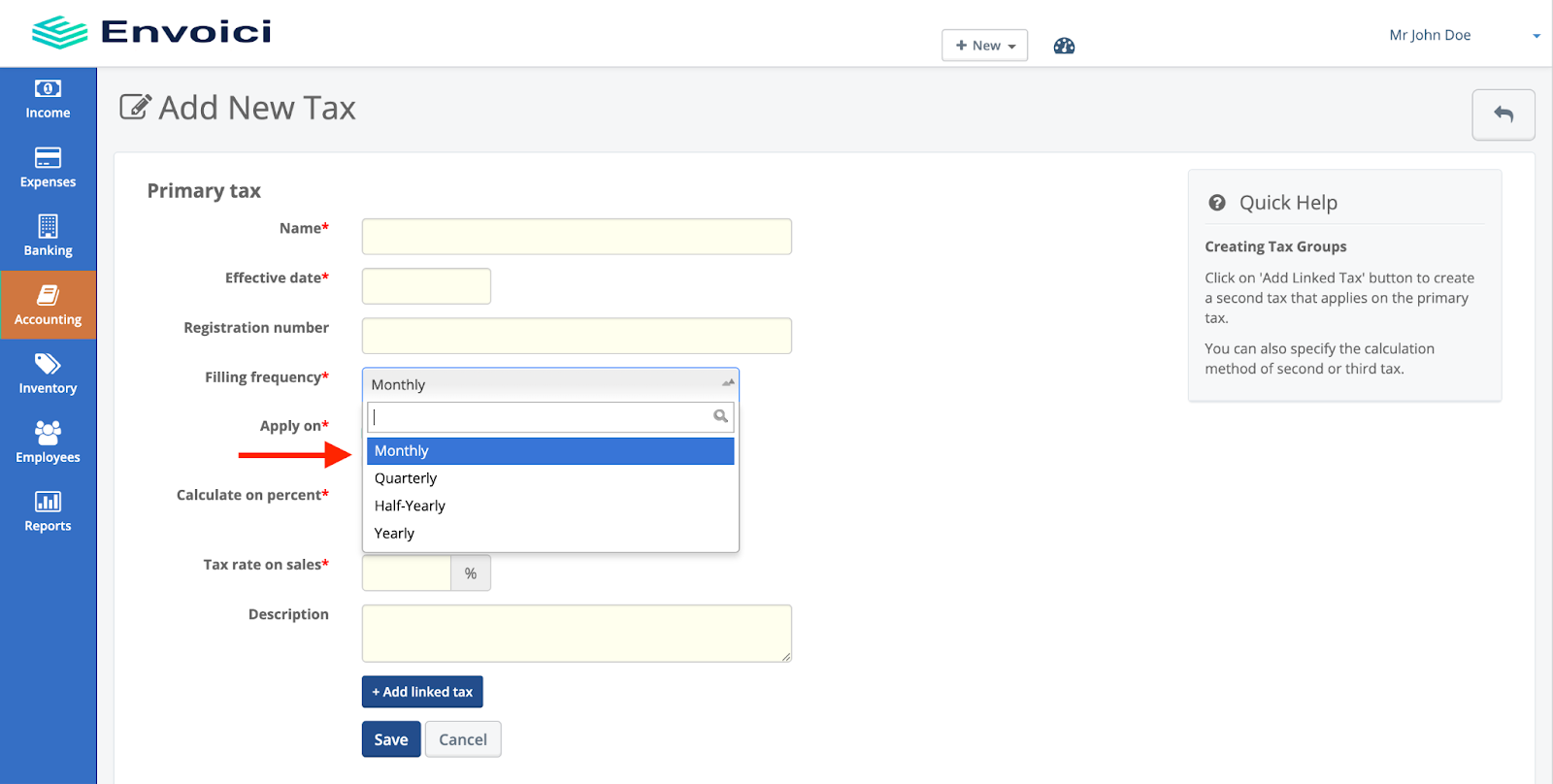
3) Please fill out the details.

4) Filing frequency: Select the option from the drop-down namely Monthly, Quarterly, Half Yearly or Yearly.
5) Tax applies to sales or purchases
6) Calculate on: Mention the percentage of the base price on which tax is to be calculated
7) Sale tax rate
8) Purchase tax rate
9) Description: Details about the tax
10) You can also add up linked taxes.

Fill in details such as Tax Name, Registration number, calculation method, sales tax rate, and description.
